Who can use Henkan Research#
Henkan Research is reserved for Henkan consultants and the teams of Henkan's clients. Access is managed by Henkan for each client: there is no public sign-up. Teams that are not clients yet can select Talk to Henkan on the Research home page, or Talk to the Henkan team on the sign-in page, to tell the Henkan team about their needs.
If you sign in with an account that has no access yet, you see Reserved for Henkan clients.
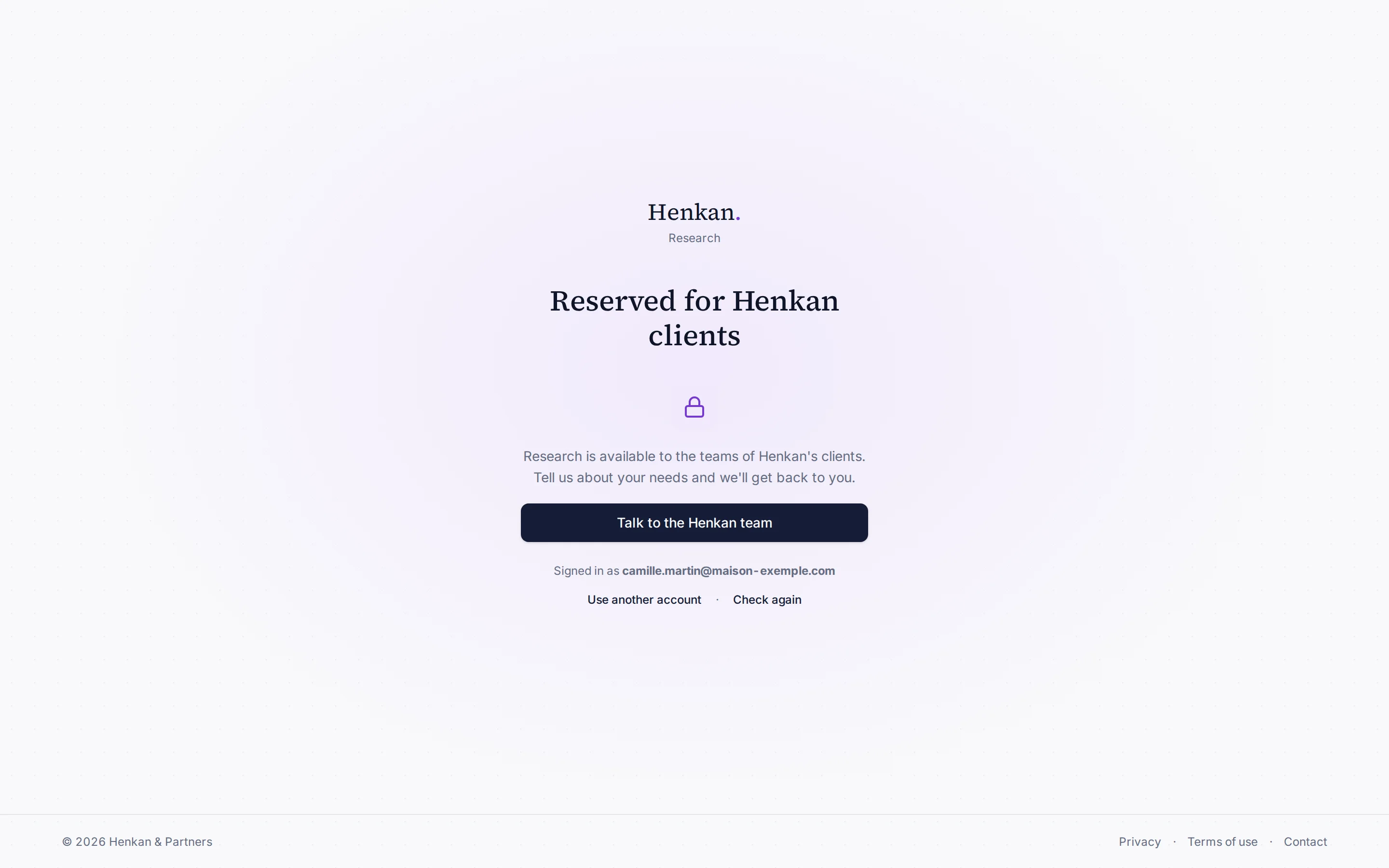
From there:
- Talk to the Henkan team to ask for access.
- Check again once Henkan has confirmed your access.
- Use another account to sign out and sign in with a different email.
Sign in#
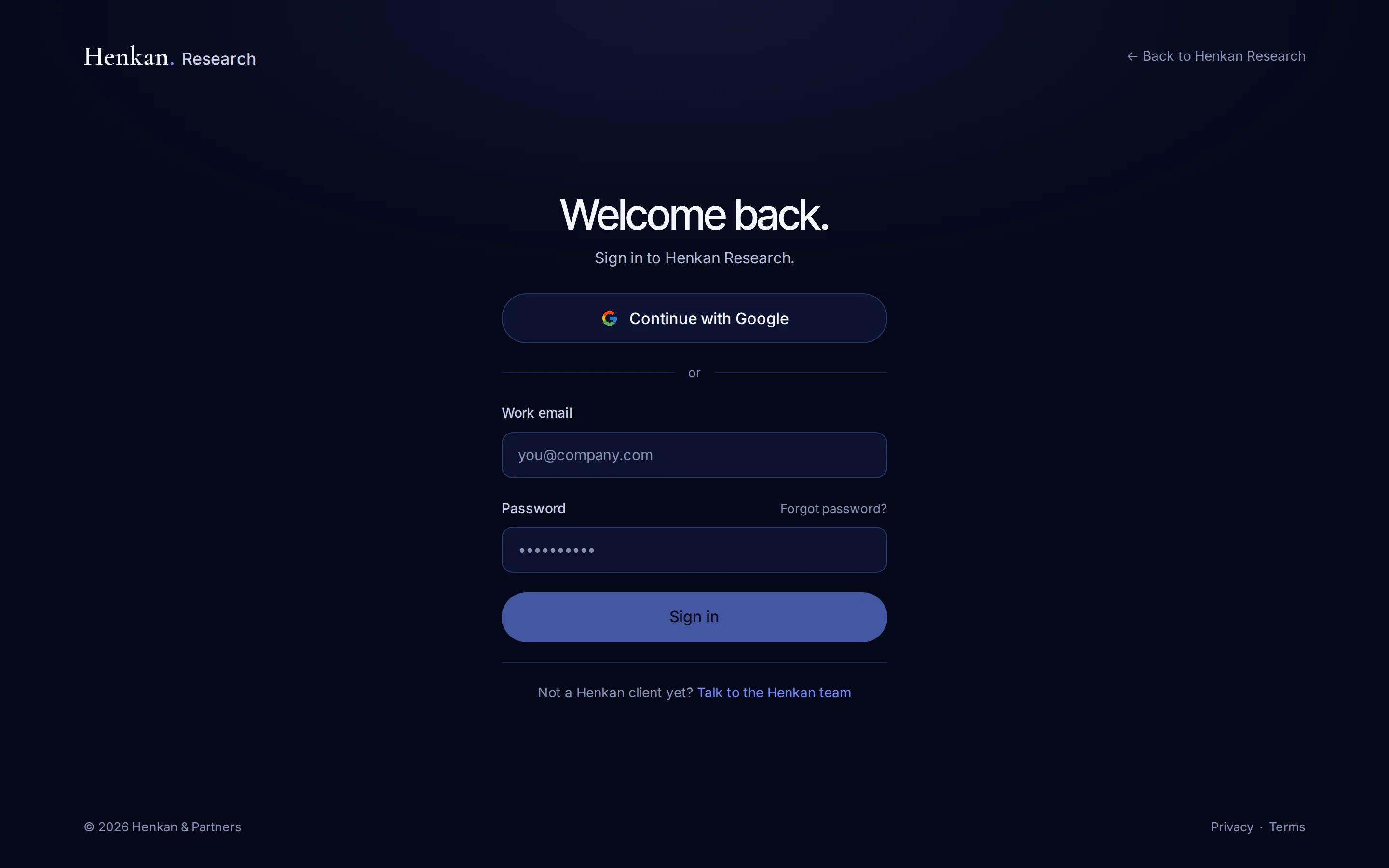
- Open the sign-in page Go to research.henkanpartners.ai/auth.
- Choose a method Select Continue with Google, or enter your Work email and Password.
- Start working You land on Studies, in your organisation. A new organisation starts with the demo study.
Your account menu#
Select your name at the bottom of the sidebar to open the account menu. Under your name, the sidebar shows your role in the active organisation and its name (for example Owner · Maison Exemple), never your email.
| Item | What it does |
|---|---|
| Account settings | Opens the Settings page. |
| Documentation | Opens these pages. |
| What's new | Opens the changelog. |
| Contact Henkan | Writes an email to the Henkan team. |
| Privacy & terms | Opens the privacy policy. |
| Sign out | Signs you out and returns to the sign-in page. |
Forgot your password#
- On the sign-in page, select Forgot password?.
- Enter your Work email and confirm. If an account exists, you receive an email with a link to choose a new password.
Settings#
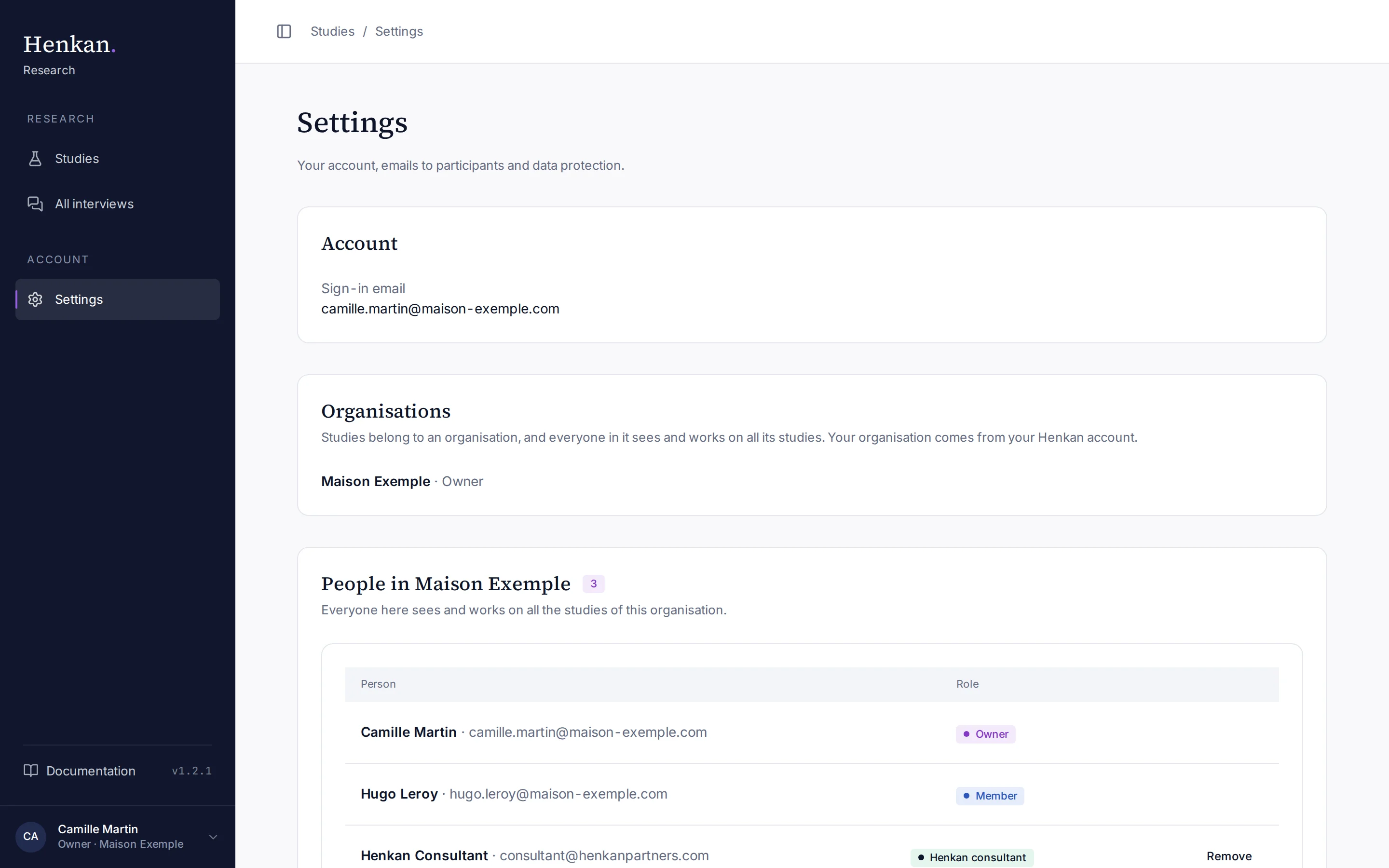
The Settings page also lists your Organisations, your role in each and the people in the active one.
| Section | What it shows |
|---|---|
| Account | Your Sign-in email. |
| Organisations | The organisations you belong to and your role in each (Owner or Member). |
| People in your organisation | Everyone in the active organisation and their role. Henkan & Partners consultants show as Henkan consultant. |
| Add a Henkan consultant | Owners only: add a Henkan & Partners consultant to the organisation. See Work as a team. |
| Email sending | Active when invitations and reminders go out, from notify.research.henkanpartners.ai. Otherwise, a note explains that invitations are saved and will go out once sending is set up. |
| Data and privacy | Henkan & Partners acts as processor and the client is the data controller. Each study sets its retention period (12 months by default). |
Organisations, sharing and roles#
Every study belongs to an organisation. You join yours automatically when you sign in, from your Henkan account: the people of a client company share that company's organisation, and Henkan & Partners consultants share the Henkan & Partners one. An owner of a client organisation, or Henkan, can add a consultant to it so they prepare studies with the client's team.
| Who | Sees the organisation's studies and results | Creates and works on studies | Deletes a whole study | Adds a Henkan consultant |
|---|---|---|---|---|
| Owner of the organisation (the first person to sign in, or named by Henkan) | Yes | Yes | Every study | Yes |
| Member | Yes | Yes | Only the studies they created | No |
| Henkan & Partners consultant placed in the organisation | Yes | Yes | Every study | No |
- Studies and All interviews show the active organisation only. When you belong to several organisations, choose one from the menu at the top of the sidebar; Research remembers your choice on this browser.
- Test links work for anyone in the study's organisation, signed in on the same browser.
- Recordings are private and visible only to the members of the study's organisation.
- To share results with someone outside your organisation, use the client report.
See Work as a team for the details.
Documentation and changelog#
Documentation at the bottom of the sidebar, just above your name, opens these pages. The version number on the same row (for example v1.1.0) opens the changelog, which lists every change to the app. When the sidebar is collapsed, only the book icon remains.
Every signed-in page ends with a one-line footer: © Henkan & Partners on the left, Privacy, Terms and Contact on the right.