Once the study is open, the Interviews tab shows who has responded, who is mid-interview and who needs a reminder, and whether new interviews still bring new ideas.
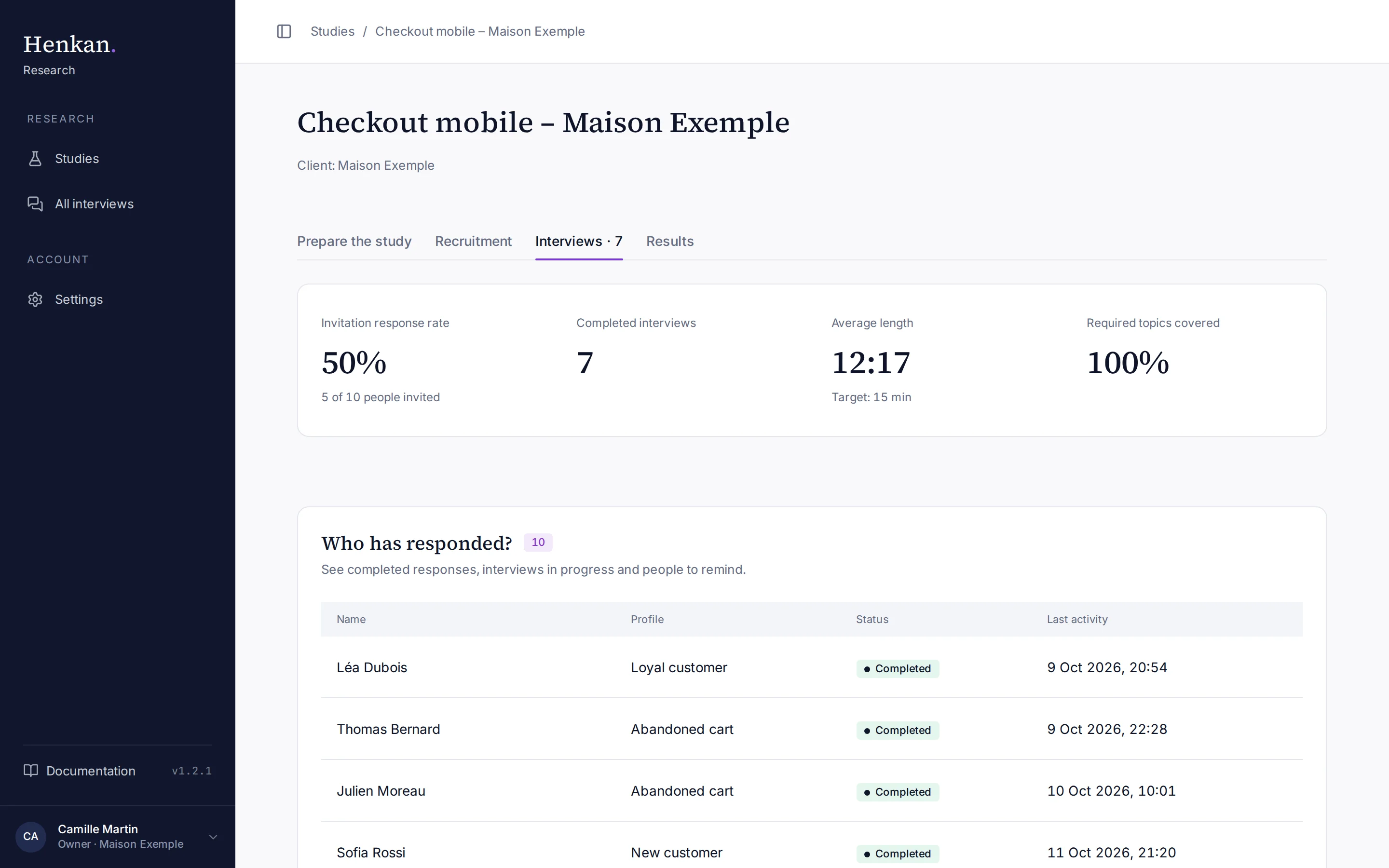
Key figures#
| Figure | How it is calculated |
|---|---|
| Invitation response rate | Invited participants who completed an interview, divided by invited participants. Public-link and on-site interviews are not part of this rate. |
| Completed interviews | All completed interviews from every source, excluding your tests. |
| Average length | Average duration of completed interviews, next to your target. |
| Required topics covered | For completed interviews, the share of required topics the AI marked as covered. |
Who has responded? lists every participant with their Profile, Status (Invited, Link opened, Started, Completed, Declined) and Last activity. Use it to decide who to remind; automatic reminders do it for you.
Interview breakdown at the bottom splits completed interviews By mode (voice and video or text), By language, By source and, for on-site invitations, By site page.
Are we still learning new things?#
Qualitative research stops when new interviews stop bringing new ideas. This is called saturation. The section lists the new themes each interview brought, in the order the interviews happened.
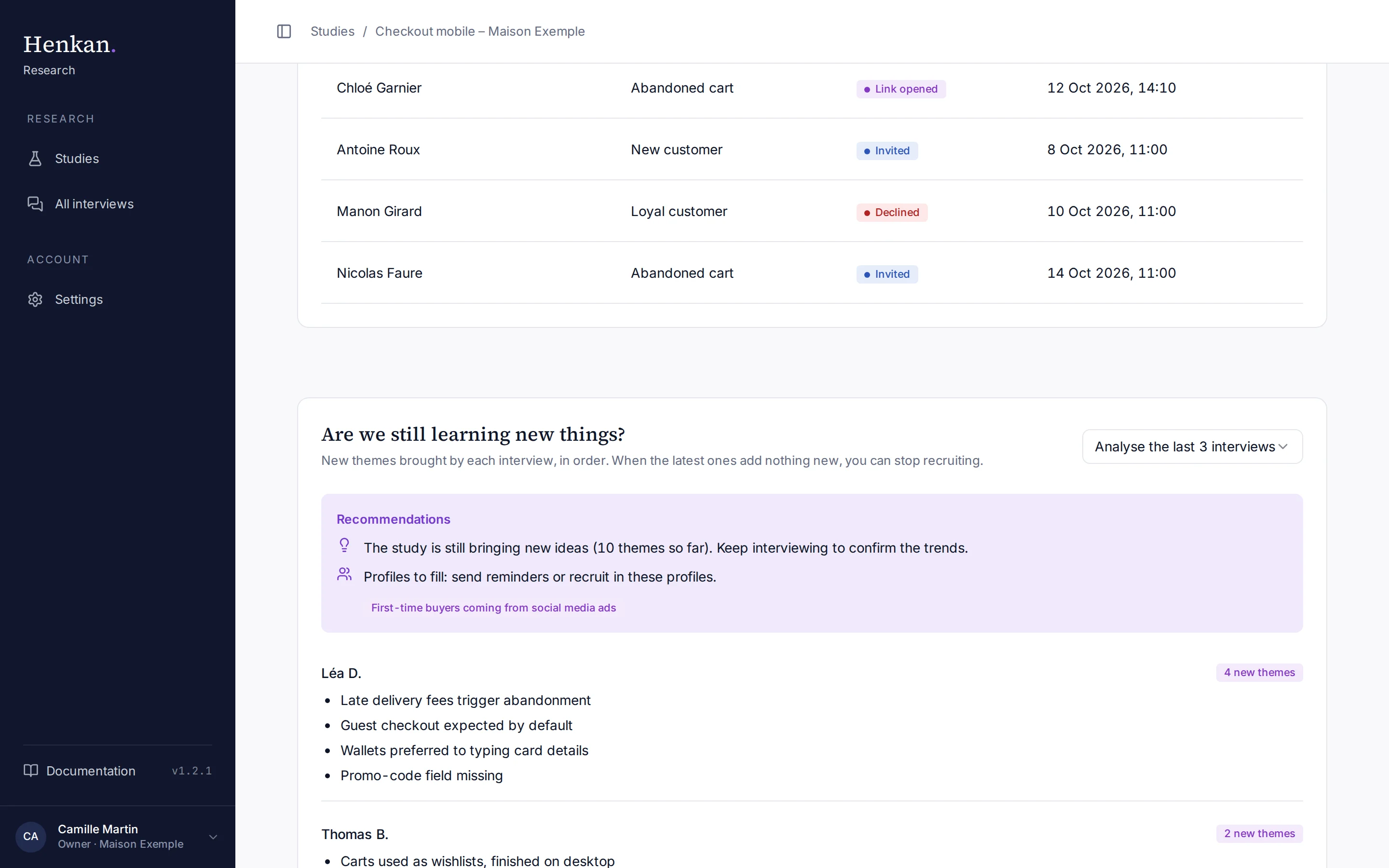
- Wait for two interviews The analysis starts once 2 interviews are completed.
- Choose the window Select Analyse the last N interviews (2 to 5, default 3).
- Read the recommendation If none of the last N interviews brought a new theme, the study has probably reached saturation: you can close it or target another profile. Otherwise, keep interviewing.
- Fill missing profiles Profiles to fill lists profiles with no completed interview yet and profiles your objectives need but that seem absent from the sample.
See all interviews across studies#
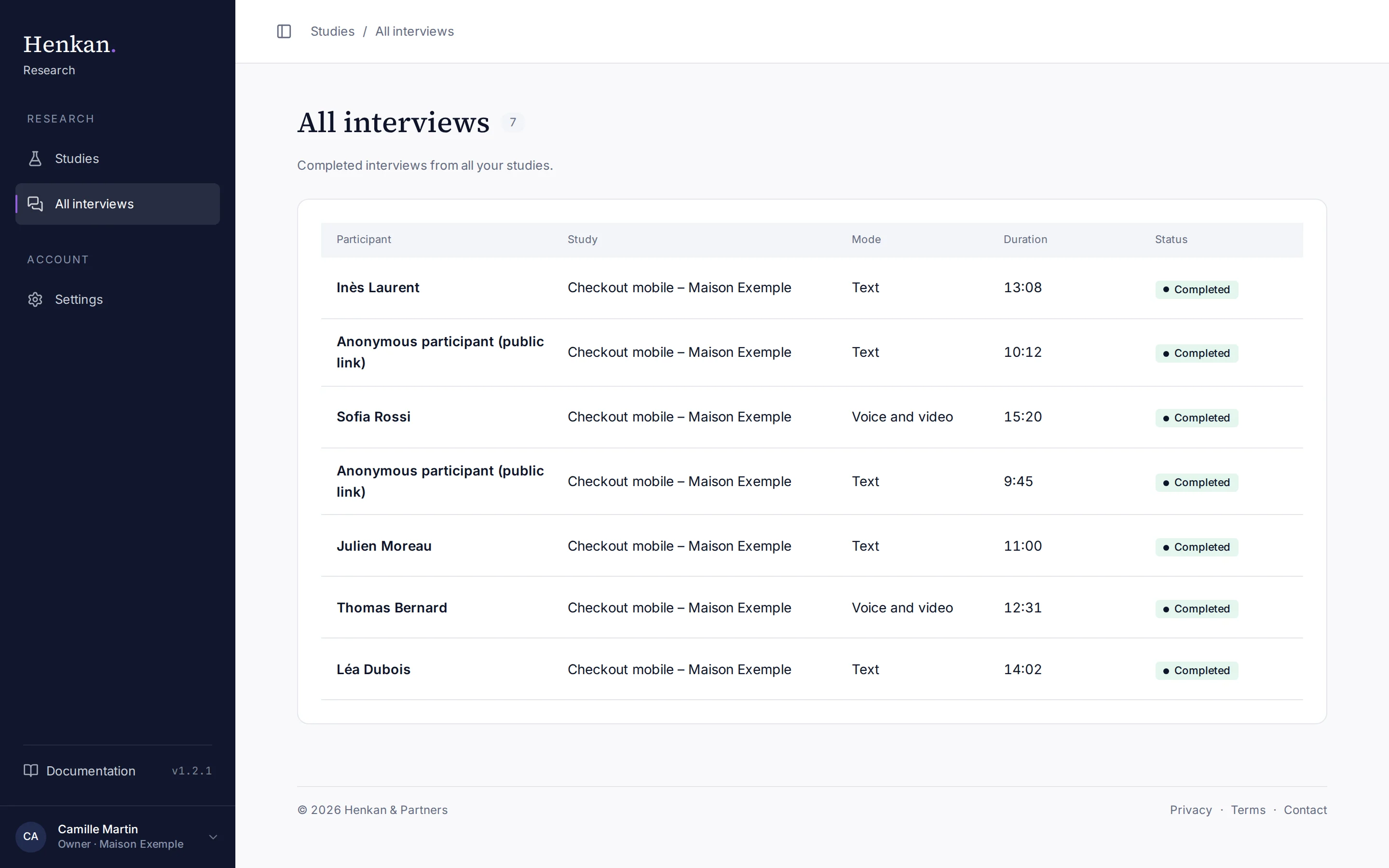
All interviews in the sidebar lists every completed interview from all your studies, newest first, with the study, mode and duration. Select a participant to open the interview.