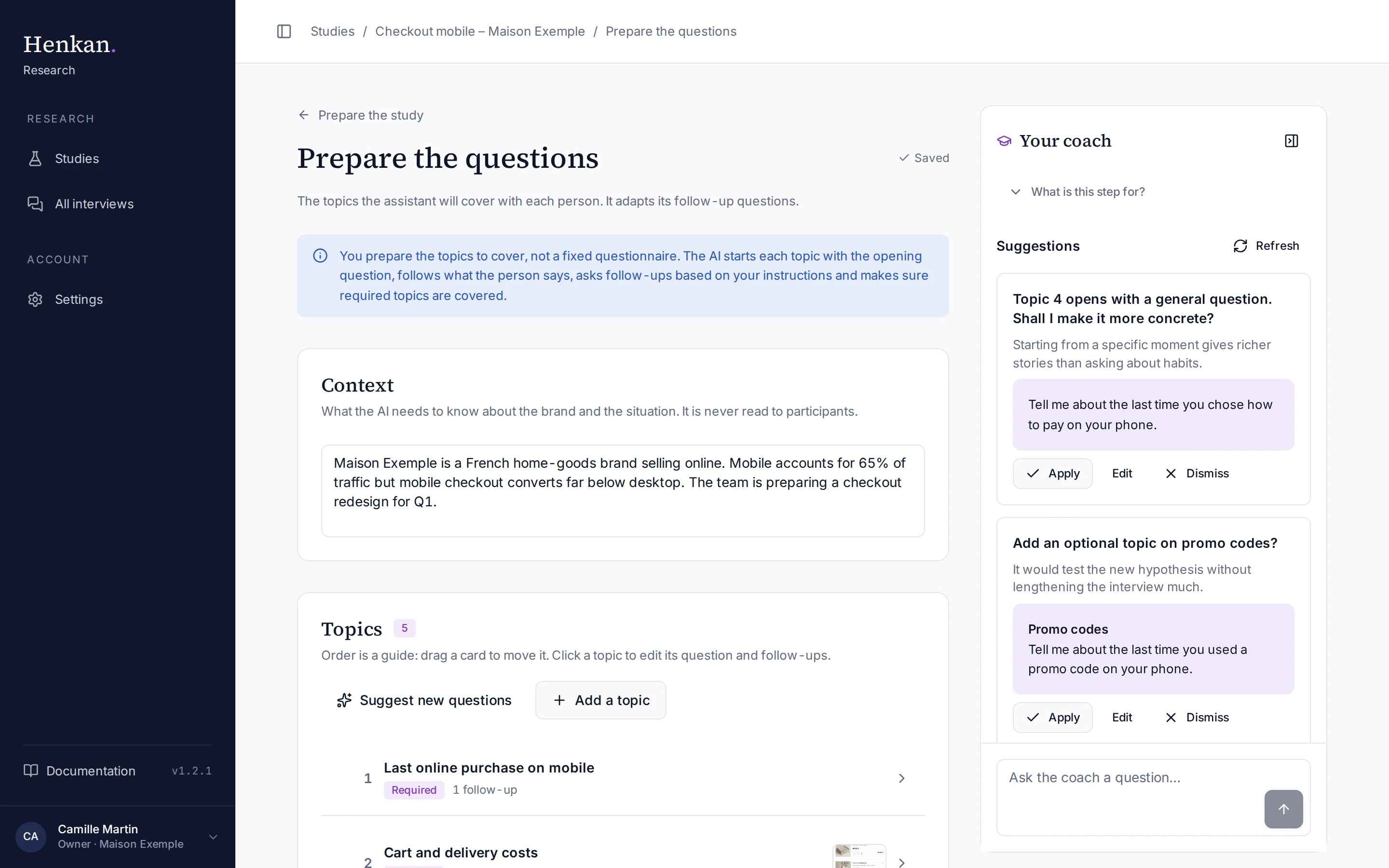
Your coach is a senior qualitative researcher built into every preparation step. It reads your study and helps you make it better, in plain language.
1
Collapse. Hides the coach to give the page more room.
2
What is this step for? The coach's explanation of the step.
3
Suggestion. A proposed change with Apply, Edit and Dismiss.
4
Refresh. Asks for new suggestions after you changed the study.
5
Chat. Ask the coach anything about the step.
What the coach does#
- Explains the step The first time you open a step, the coach explains what it is for. Select Got it to hide it; it stays available under What is this step for?.
- Suggests changes Under Suggestions, the coach offers two or three improvements for the current step, such as a sharper decision, a new hypothesis or a better opening question.
- Answers questions Under Chat with the coach, ask anything about the step. Ready-made prompts include "Are my objectives specific enough?", "Suggest some hypotheses" and "How many people should I interview?".
Use a suggestion#
- Read it Each suggestion has a title, a short explanation and, when it can be applied, the proposed text.
- Apply Select Apply to write the proposal into your study. The page updates immediately.
- Edit first Select Edit to change the proposal before applying it.
- Dismiss Select Dismiss to hide it.
- Refresh Select Refresh to get new suggestions after you changed the study.
| Step | What a suggestion can change |
|---|---|
| Describe your need | The problem, the decision, who to interview, the objectives, the hypotheses |
| Prepare the questions | A topic's opening question, or a new topic (added as optional) |
| Other steps | Advice only: nothing is written for you |
Collapse the coach#
Select the panel icon at the top right of the coach to collapse it, and the same icon to open it again. Your choice is remembered on this browser.