The public link lets anyone take part, without an invitation. Use it in a newsletter, on social media or on an in-store poster with the QR code.
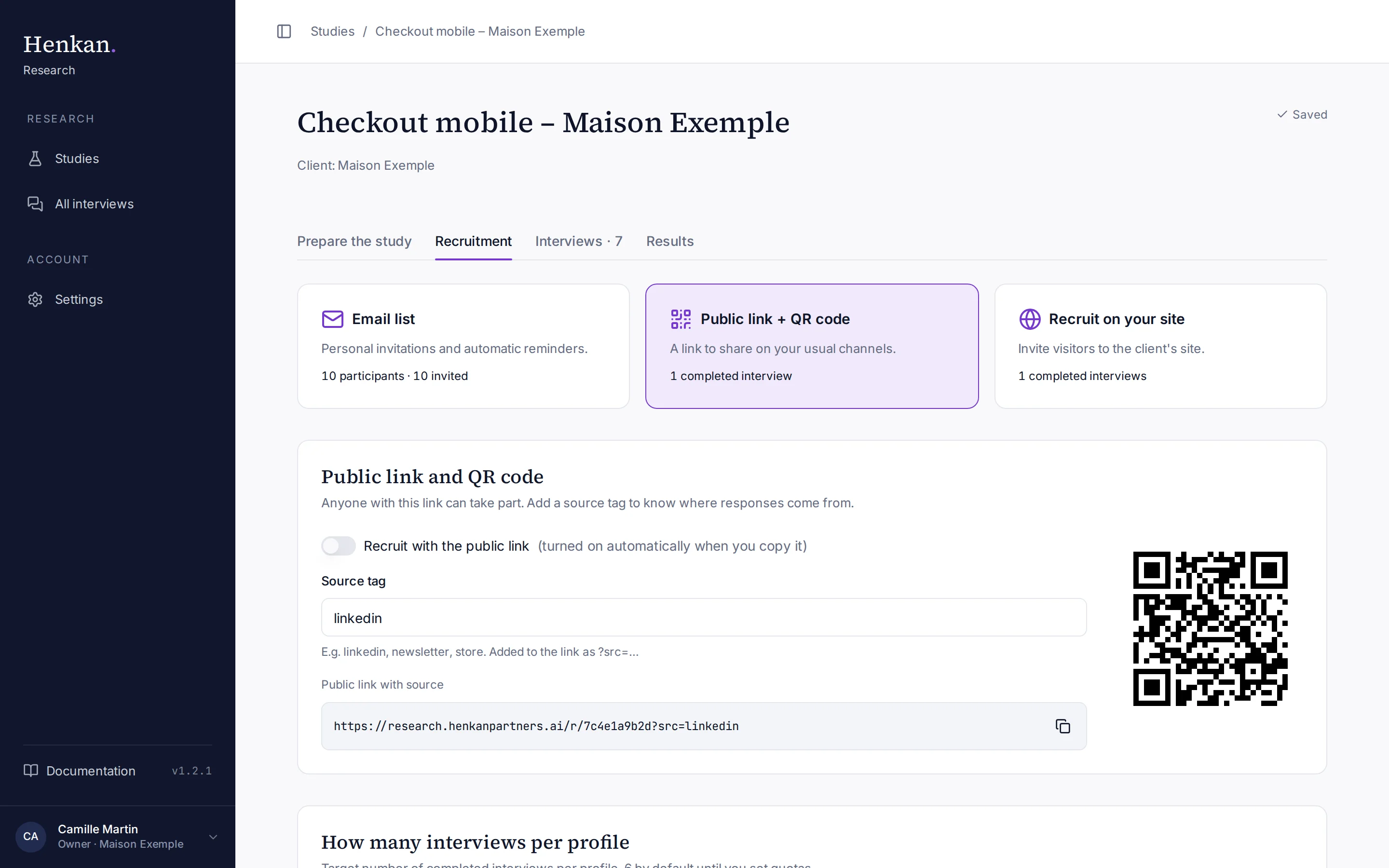
1
Source tag. A short label for the channel, such as linkedin or newsletter.
2
Public link with source. Copy it with the copy button.
3
QR code. Updates with the tag; right-click to save it.
Share the public link#
- Open the method In the Recruitment tab, select Public link + QR code.
- Tag the channel Type a Source tag, for example
linkedin,newsletterorstore. It is added to the link as?src=…. Letters, numbers, hyphens and underscores are kept. - Copy the link Copy Public link with source, or use the QR code.
- Mark it as a method Copying the link turns on Recruit with the public link, which completes the Choose who to interview step. If you only use the QR code, turn it on yourself.
- Repeat per channel Change the tag for each channel you use.
The study must be open for the link to work. The plain link, without a tag, is also on the Launch the study step as Public study link; copying it there counts too.
What you get#
- Interviews from the public link are anonymous: they appear as Participant via public link in the Interviews and Results tabs.
- The source tag appears in the By source breakdown of the Interviews tab, in the interview's details, and as a filter in the synthesis.
| Example link | Shown as source |
|---|---|
| research.henkanpartners.ai/r/7c4e1a9b2d?src=linkedin | |
| research.henkanpartners.ai/r/7c4e1a9b2d?src=newsletter | Newsletter |
| research.henkanpartners.ai/r/7c4e1a9b2d?src=store | store |