In Henkan Research, studies belong to an organisation, not to one person. Everyone in an organisation sees and works on all its studies, so a client team and its Henkan & Partners consultants prepare, run and read the same studies together.
Where your organisation comes from#
You never create an organisation yourself. It comes from your Henkan account when you sign in:
- Client teams share one organisation per company, named after it. The first person of the company to sign in creates it and becomes its Owner; colleagues who sign in later join it automatically as Members.
- Henkan & Partners consultants share the Henkan & Partners organisation.
- A new organisation starts with the demo study. Colleagues who join later do not add another copy.
Who can do what#
| Member | Owner | Henkan consultant placed in the organisation | |
|---|---|---|---|
| See every study, its interviews and results | Yes | Yes | Yes |
| Create a study | Yes | Yes | Yes |
| Work on any study: guide, visuals, participants, invitations, launch, synthesis, Ask your interviews, report link | Yes | Yes | Yes |
| Delete a whole study | Only the studies they created | Yes | Yes |
| Add or remove a Henkan consultant | No | Yes | No |
Each study keeps the name of the person who created it. Your conversations with the coach and Ask your interviews stay personal: colleagues see the same study, not your questions.
Bring a Henkan consultant into your organisation#
Consultants often prepare and run studies for a client. To work in your organisation, a consultant must be added to it.
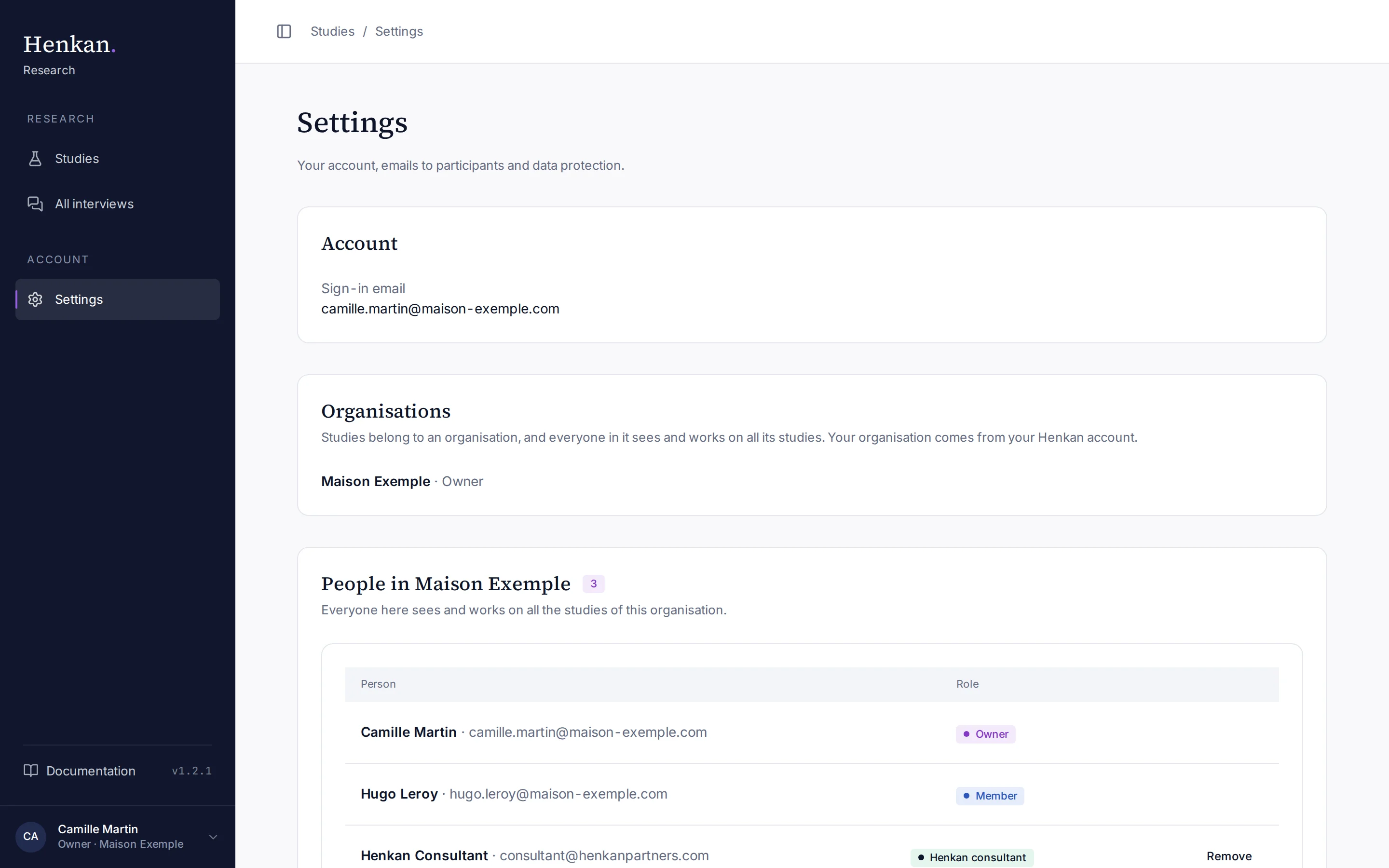
- Ask the consultant to sign in once Research can only add someone who has already signed in at research.henkanpartners.ai.
- Open Settings Select your name at the bottom of the sidebar, then Account settings.
- Add the consultant Under Add a Henkan consultant, enter their @henkanpartners.com email and select Add consultant. They appear under People in your organisation as Henkan consultant.
To take a consultant out again, select Remove on their row. Only Henkan & Partners consultants can be added or removed this way: your own colleagues join and leave through their Henkan account, so contact Henkan for anyone else. Henkan can also place a consultant in your organisation for you.
Switch between organisations#
A consultant who works for several clients belongs to several organisations. A menu at the top of the sidebar then shows the active one: choose another to switch. Studies and All interviews show the active organisation only, and Research remembers your choice on this browser. Opening a link to a study of another of your organisations switches to it automatically.
What does not change#
Participant links, the public link and QR code, on-site invitations, emails and client report links keep working exactly the same, whoever in the organisation set them up. To share results with someone outside the organisation, use the client report.