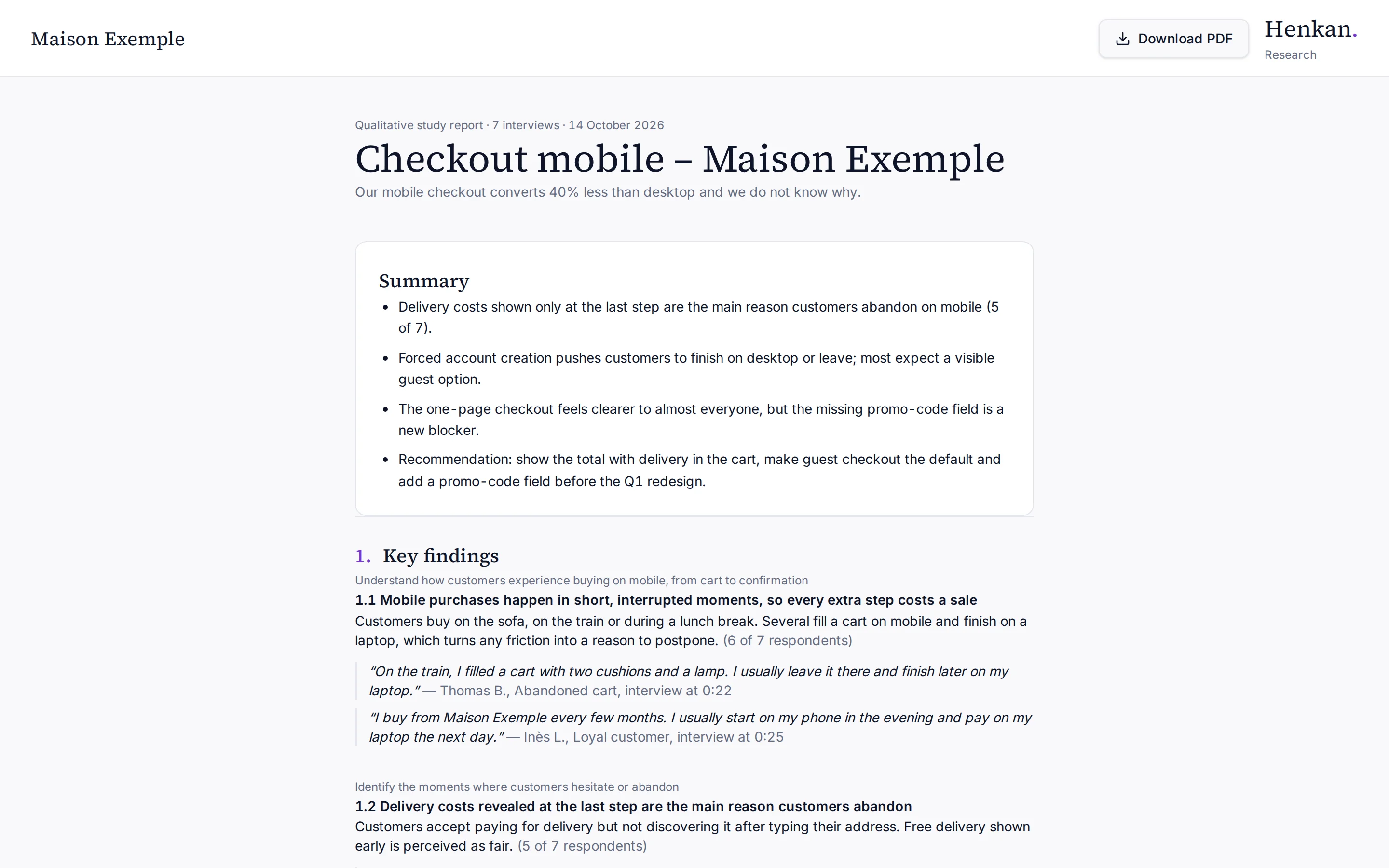
Once the synthesis is validated, you can share it as a client report: a clean, read-only page with the study's branding, numbered sections and quotes.
1
Download PDF. Opens the print dialog to save the report as PDF.
2
Summary. The key takeaways first.
3
Numbered sections. Findings, hypotheses, themes, visuals and A/B tests.
Share the report#
- Validate In Results, validate the synthesis. See Synthesis.
- Create the link Under Client report, select Create a share link.
- Copy it Copy the Report link and send it to your client. Anyone with the link can view the report, without signing in.
- Check it Select Open the report to see what your client sees.
What the report contains#
- The client's logo (or name), the study name, the problem, the number of interviews and the validation date.
- Summary, then numbered sections: Key findings, Hypotheses tested, Emerging themes, Reactions to visuals and Recommended A/B tests. Empty sections are left out.
- Quotes with the participant's first name and initial, their profile and the moment in the interview. Links to transcripts and internal identifiers are removed.
- A methodology note: semi-structured interviews conducted by an AI researcher, analysed and validated by the study team. Qualitative findings indicate trends, not statistical proportions.
Select Download PDF to print or save the report. The button and the page footer are hidden in the PDF.
Revoke or update the link#
- Revoke Select Revoke the link. The link stops working immediately and shows "Report unavailable". You can create a new link later; it has a different address.
- Update If you edit or regenerate the synthesis, it goes back to draft and the report becomes unavailable until you validate again.