This page takes you through the demo study that comes with every new organisation, then through the shortest path to your own results.
1. Open the demo study#
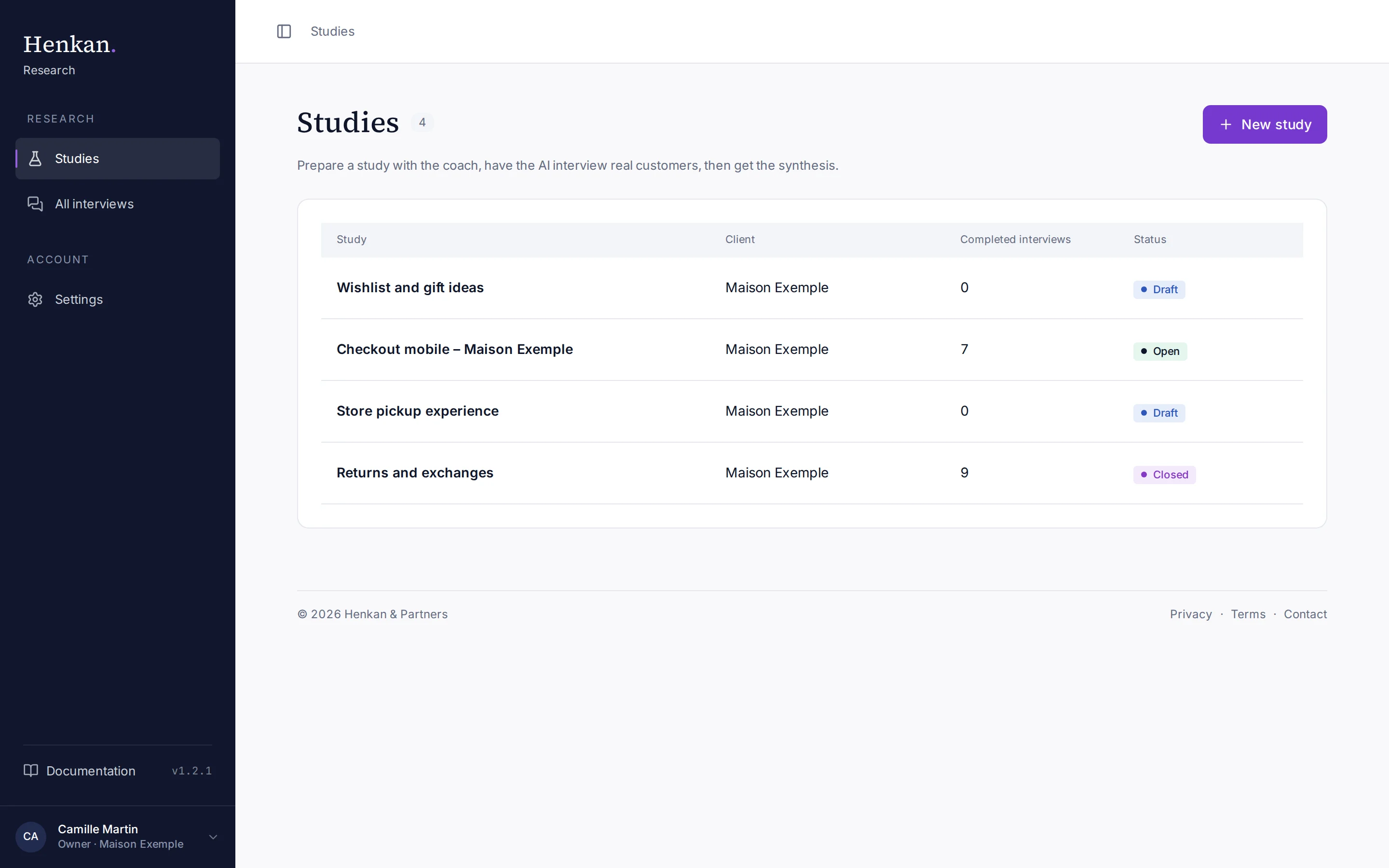
1
New study. Starts a new study with the coach.
2
The demo study. "Checkout mobile – Maison Exemple" already has interviews and a validated synthesis.
3
Completed interviews. Tests you run yourself are not counted.
4
Status. Draft, Open or Closed.
- Sign in Go to research.henkanpartners.ai/auth and sign in. See Sign in and settings.
- Open Studies Studies is the first item in the sidebar.
- Open the demo Select Checkout mobile – Maison Exemple. Because the study is open, it opens on the Interviews tab.
2. Look at the results first#
Select the Results tab. You see the synthesis the AI wrote from the demo interviews: a summary, findings for each objective with quotes, a verdict on each hypothesis, new ideas and A/B test ideas. Select any quote to open the interview at that exact moment.
Then try Ask your interviews and ask, for example, "Who mentioned delivery costs, and when?". See Ask your interviews.
3. See how the study was prepared#
Select the Prepare the study tab. Each of the six steps opens a page with your coach docked on the right. Open Prepare the questions to see how the interview guide is written: topics to cover, not a fixed questionnaire.
4. Run your own study#
- Create the study Select New study, answer the coach's questions, then Propose a framing and Create the study. See Create a study.
- Complete the six steps Describe your need, prepare the questions, optionally add visuals, choose who to interview, optionally test the interview, then launch.
- Test it yourself On Test the interview yourself, select Start a test interview. Tests never count in the results.
- Open the study On Launch the study, select Open the study.
- Invite people In the Recruitment tab, add participants and select Send invitations, or share the public link. See Recruitment.
- Follow and analyse Watch answers arrive in Interviews, then generate the synthesis in Results.
- Share Validate the synthesis and create a share link for your client. See Share the client report.