The synthesis turns the completed interviews into findings for each of your objectives, a verdict on each hypothesis, new ideas, reactions to visuals and A/B test ideas. Every statement is backed by quotes linked to the exact moment in the interview.
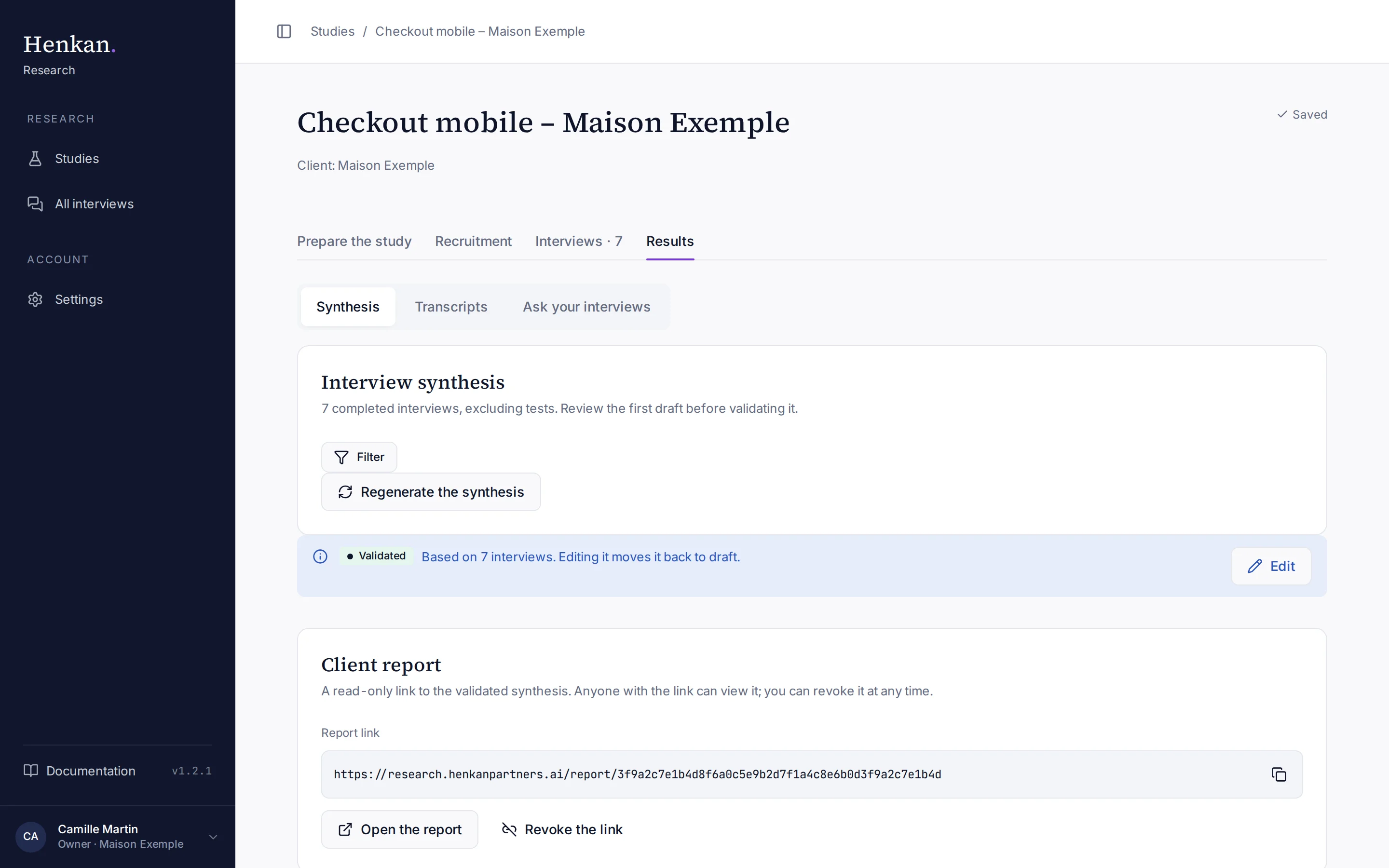
Generate the synthesis#
- Open Results In the study, select the Results tab. It is available as soon as one interview is completed.
- Generate Select Generate the synthesis. The AI reads each transcript, groups findings by objective, checks the hypotheses and selects quotes.
- Review The synthesis is a Draft. Read it and correct what needs correcting.
- Regenerate after new interviews A dot on the Results tab means interviews finished since the last synthesis. Select Regenerate the synthesis; the new draft replaces the previous one and must be validated again.
Tests are never included. With few interviews, the synthesis gives counts ("3 of 5 participants") rather than percentages.
What the synthesis contains#
| Section | Content |
|---|---|
| Summary | Three to five sentences: the key takeaways and what to do. |
| Findings by objective | One or two findings per objective, each with a title stating the insight, a detail, how many participants are concerned ("5 of 7 participants") and two or three quotes. |
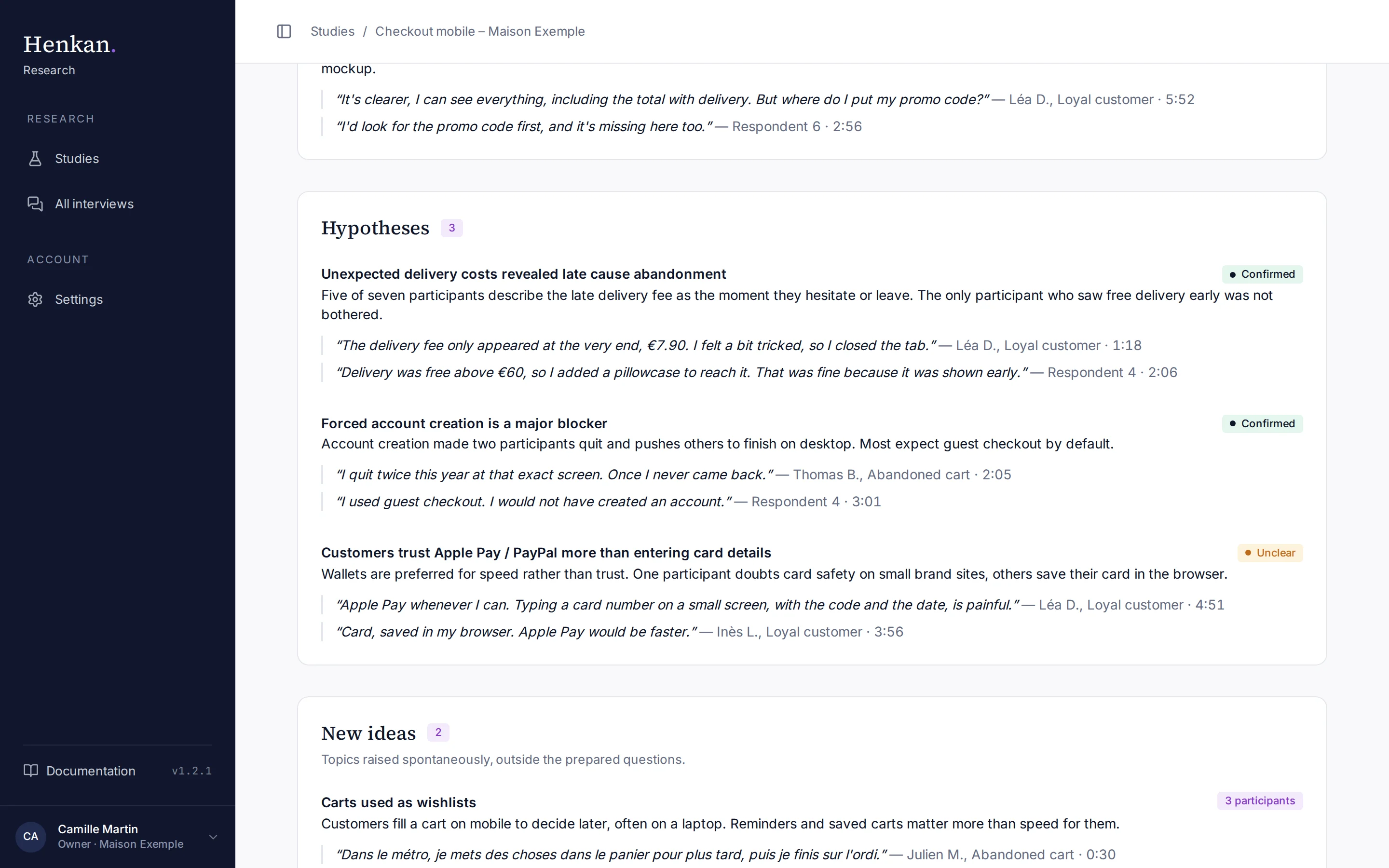
| Hypotheses | Each hypothesis with a verdict (Confirmed, Refuted or Unclear), the evidence and quotes. |
| New ideas | Topics participants raised spontaneously, outside the prepared questions. |
| Reactions to visuals | How participants reacted to each visual shown. |
| A/B test ideas | Two to four test ideas, each with a hypothesis, a concrete change and a success metric. |
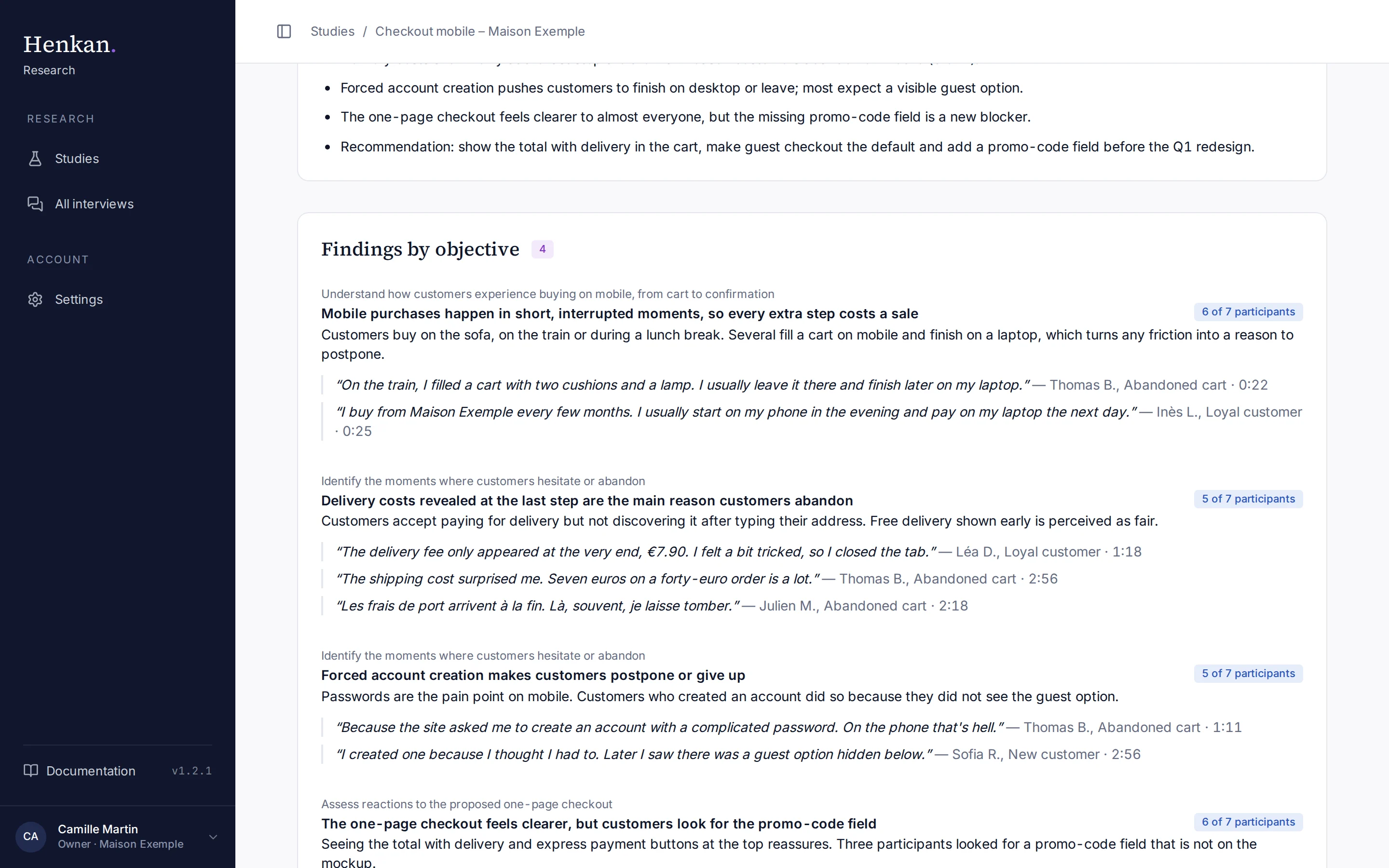
Quotes stay in the participant's language. Select a quote to open the interview, scrolled to that moment.
Filter the interviews#
Select Filter to build the synthesis from a subset of interviews, then generate or regenerate it.
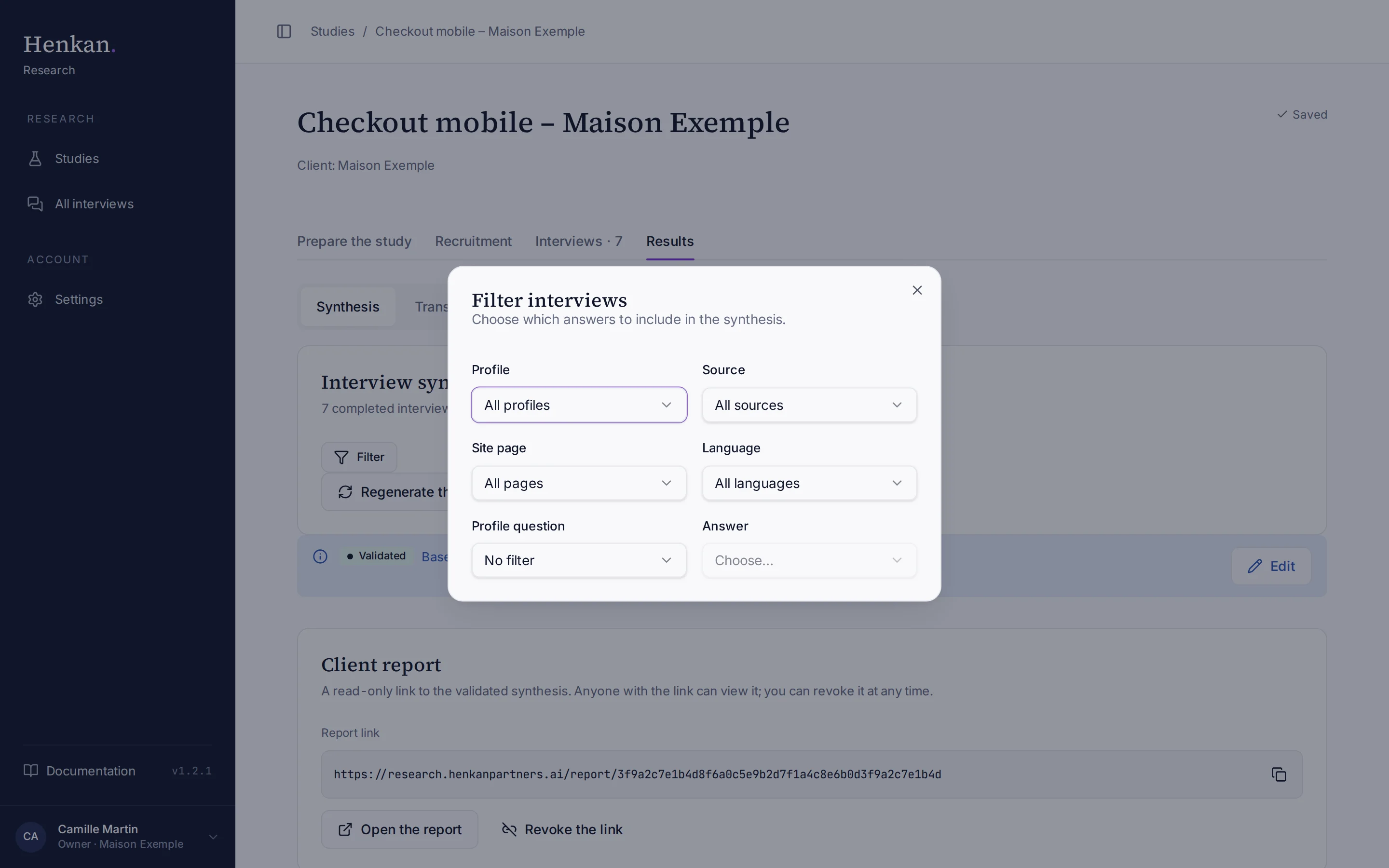
| Filter | Options |
|---|---|
| Profile | Profiles of participants with a completed interview |
| Source | The sources of completed interviews (email, public-link tags, onsite) |
| Site page | Pages where on-site participants were recruited (shown when there are any) |
| Language | EN or FR |
| Profile question and Answer | One of your profile questions and one of its answers |
A filtered synthesis says "(filtered)" next to the number of interviews.
Edit and validate#
- Edit Select Edit. Every text becomes editable, and verdicts become a list. Changes save automatically.
- Finish Select Finish editing, or Cancel to drop your changes.
- Validate Select Validate the synthesis. Its status becomes Validated.
Editing a validated synthesis moves it back to Draft. Only a validated synthesis can be shared: see Share the client report.
For a client organisation, validating also records the study as completed in the client's Henkan account (once per study, even if you validate it again after edits). Studies of the Henkan & Partners organisation are not recorded.