Henkan Research offers three ways to find people to interview. You can combine them in the same study. Everything is set up in the study's Recruitment tab.
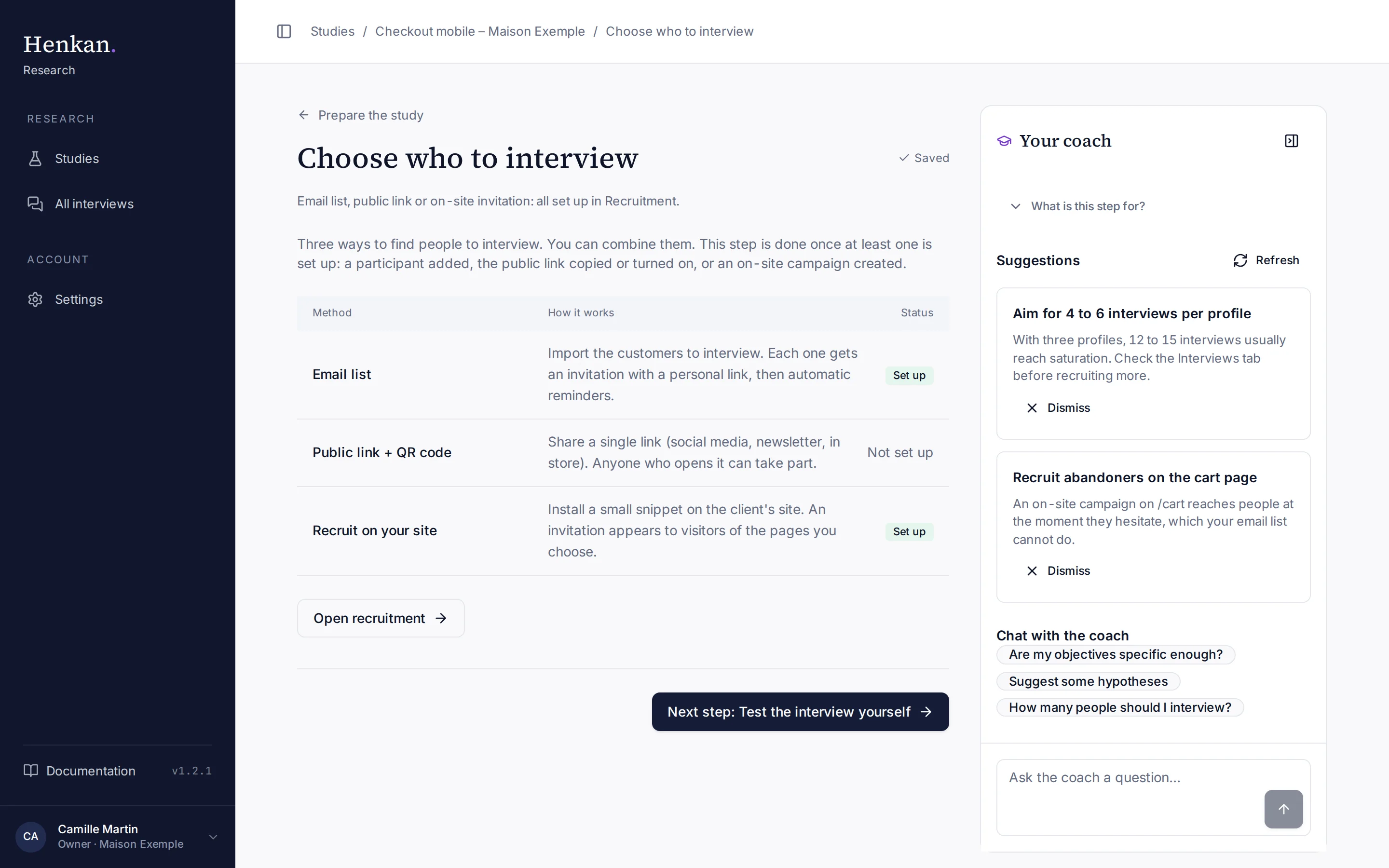
| Method | Best for | Participants are known by name | Page |
|---|---|---|---|
| Email list | Customers you can contact (CRM, panel, loyalty list) | Yes | Email invitations and reminders |
| Public link + QR code | Newsletters, social media, in-store posters | No | Public link and QR code |
| Recruit on your site | Visitors at the moment they use the site, such as on the cart page | No | On-site invitations |
This step is done once at least one method is set up: a participant added to the email list, the public link copied or turned on with Recruit with the public link, or an on-site campaign created. The Status column of the step shows which methods are set up. It is still up to you to send the invitations or share the link once the study is open.
The Recruitment tab#
The three method cards at the top of the tab switch between methods. Each card shows its own count: participants and invitations for the email list, completed interviews for the public link and for the site.
How many interviews per profile#
At the bottom of the Recruitment tab, How many interviews per profile shows, for each profile, the completed interviews against the target. A profile is the Profile you give each participant, such as Loyal customer or Abandoned cart. The target is 6 per profile until you set quotas.
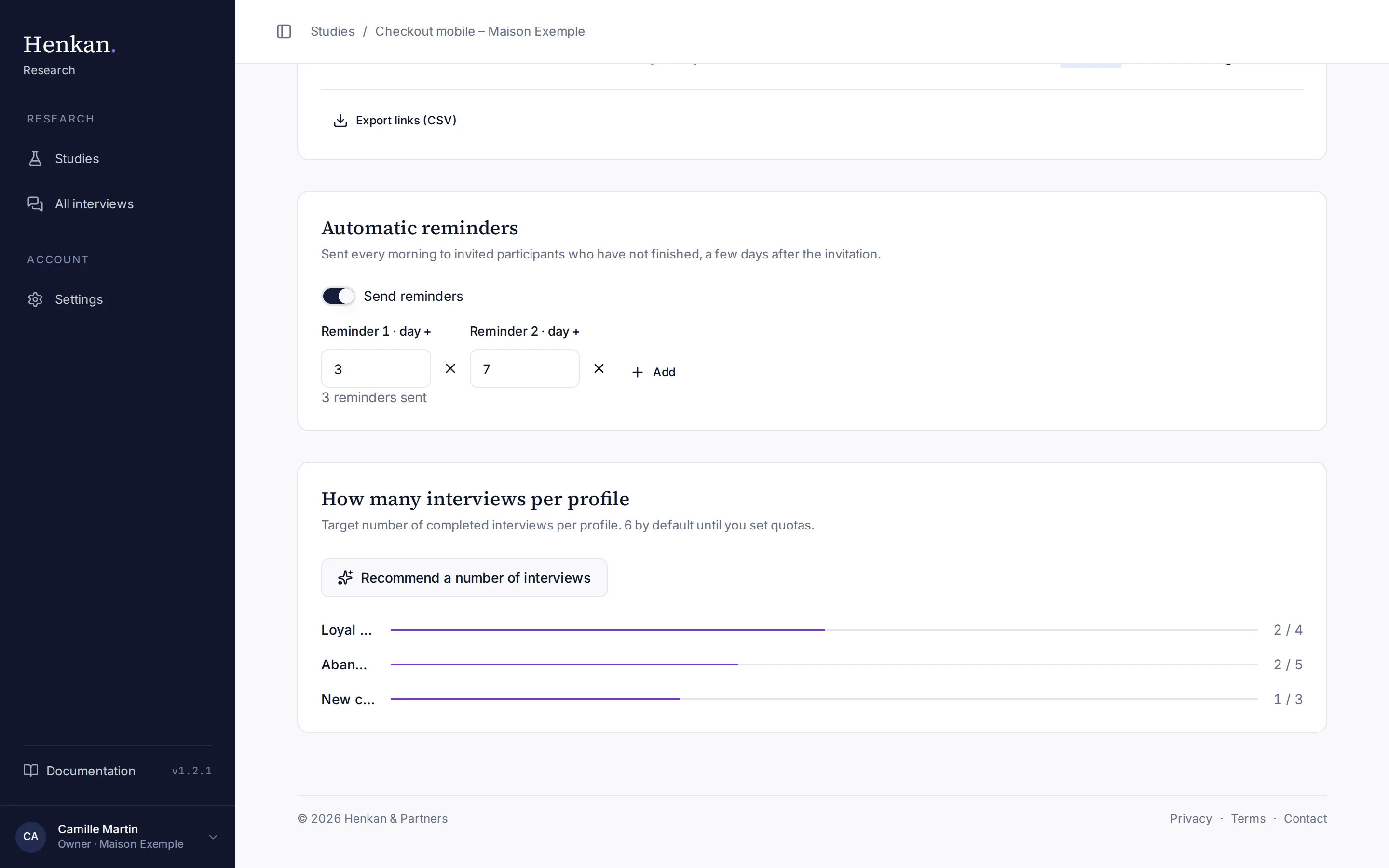
- Get a recommendation Select Recommend a number of interviews. The AI proposes a total, a target per profile and the reasoning, based on your objectives and existing profiles.
- Apply Select Apply these quotas to use them, or Dismiss.