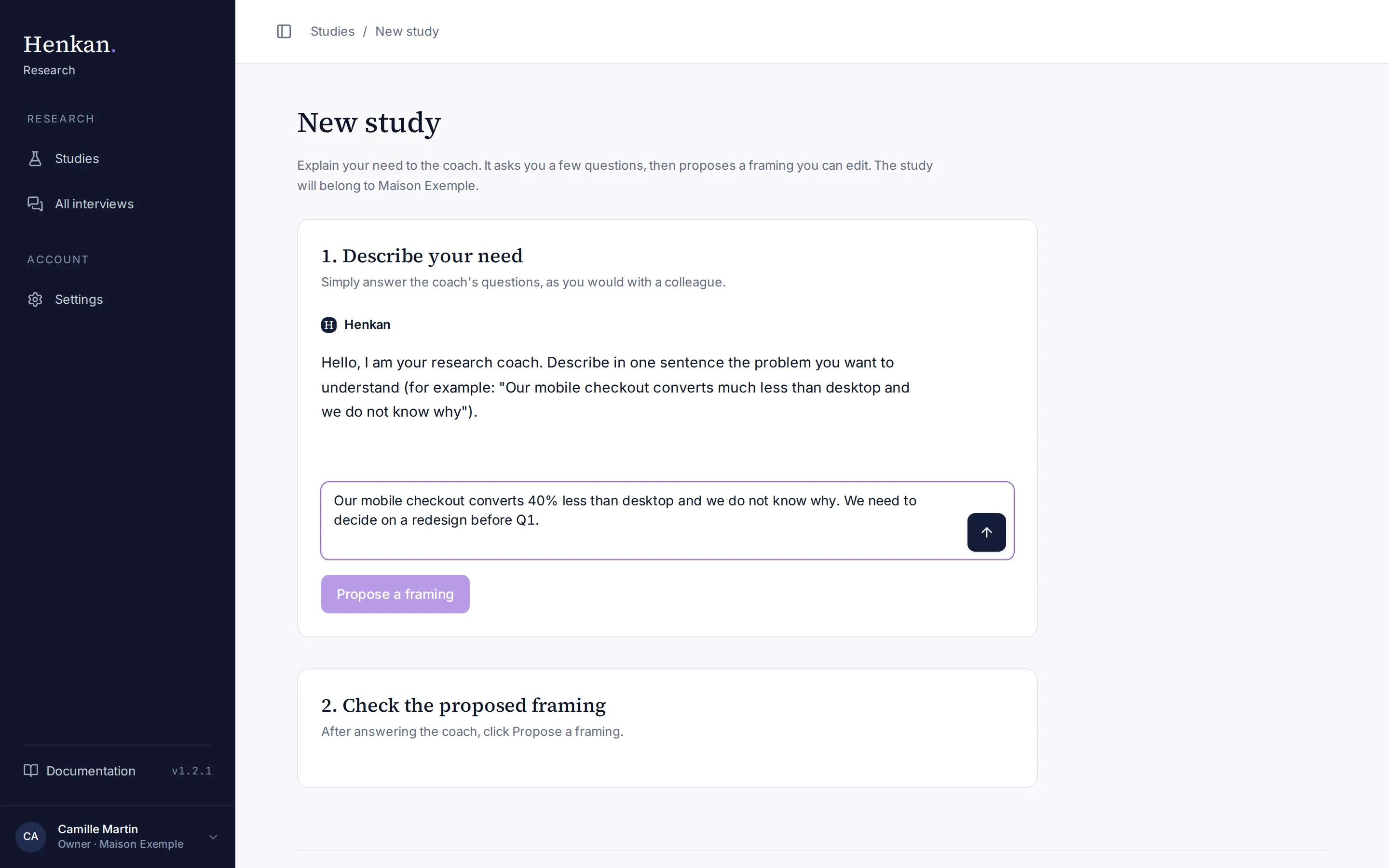
A new study starts with a short conversation with the research coach. It asks a few questions, then proposes a framing that you edit before creating the study.
1
The coach. It starts by asking you to describe your problem in one sentence.
2
Your answer. Write as you would to a colleague. Press Enter or the arrow to send.
3
Propose a framing. Available after your first answer.
4
The framing. Appears here once proposed, ready to edit.
Create a study#
- Start On Studies, select New study.
- Describe your need Answer the coach in plain language. It asks about the decision the study informs, who to interview, what you already know and your constraints (timing, markets), usually one question at a time.
- Ask for a framing When you have answered, select Propose a framing. You can keep chatting and propose again later.
- Check the framing Edit any field (see the table below).
- Create Select Create the study. The study opens on Prepare the study, with your answers already filled in.
The proposed framing#
| Field | What it holds |
|---|---|
| Study name | A short name. It appears on the participant page. |
| Client | The brand the study is for. Participants see it in the welcome message and the consent screen. |
| The problem | One sentence: what goes wrong or what you do not understand. |
| Brand context | Three or four sentences the AI uses to understand the situation. Never read to participants. |
| Target interview length | 10, 15 or 20 minutes. |
| What you want to learn | Two to five objectives. Each becomes a section of the synthesis. |
| Hypotheses | What you already believe. The synthesis says whether each one is confirmed, refuted or unclear. |
Everything stays editable after creation, in Describe your need, Prepare the questions and Launch the study.
Next step#
Describe your need: sharpen the problem, the decision and the objectives with the coach's help.