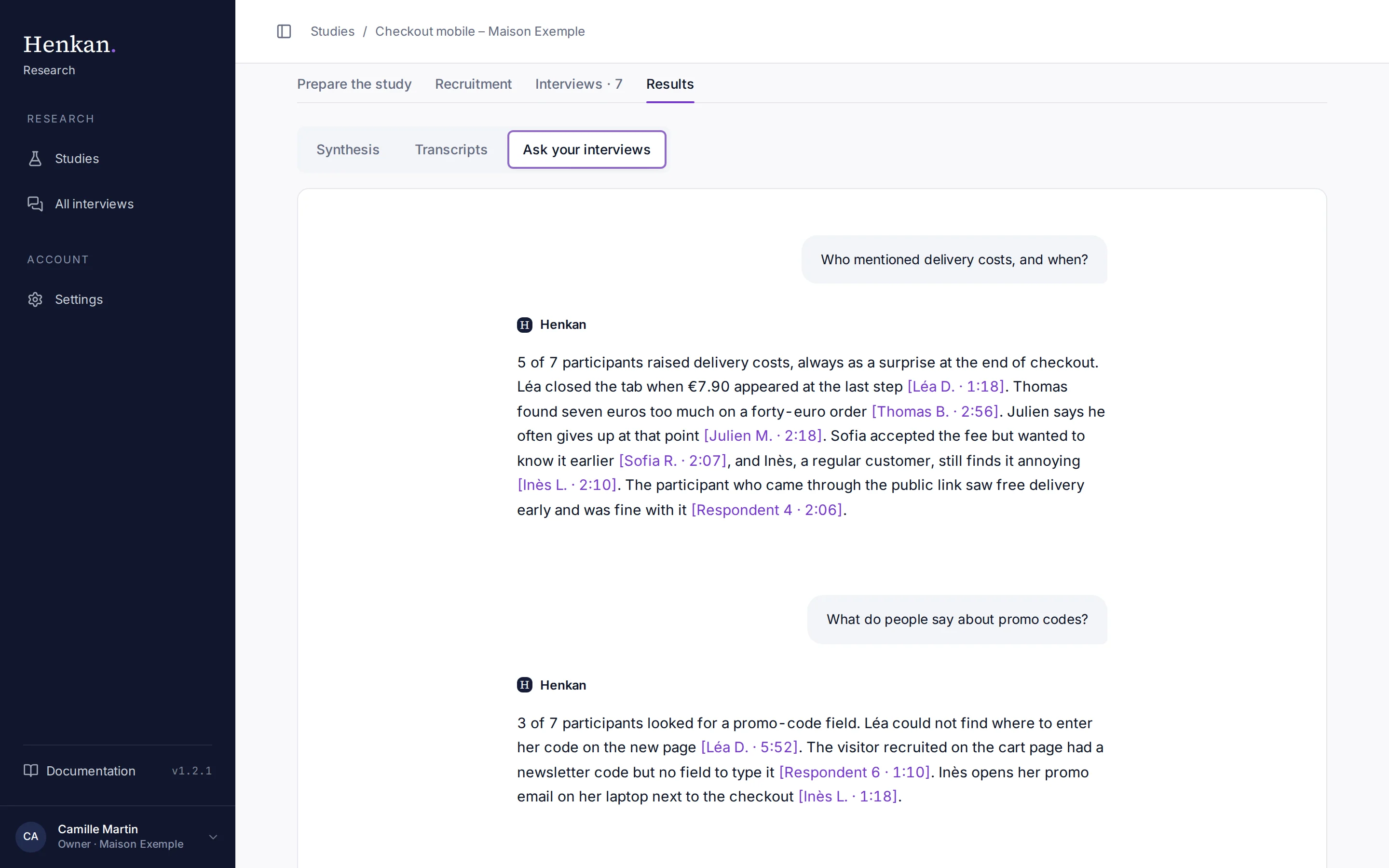
Ask your interviews answers questions about everything participants said. Each claim cites the participant and the moment in the interview, so you can check it in one click.
1
Your question. Ask in plain language.
2
Citation. Participant and moment; select it to open the interview there.
3
Follow-up. Keep asking; the conversation keeps its context. The box to type in is below.
Ask a question#
- Open it In Results, select Ask your interviews.
- Ask Type a question, or pick a suggested one such as "Who mentioned delivery costs, and when?" or "How do the profiles differ?".
- Check the evidence Select a citation such as [Léa D. · 1:18] to open the interview, scrolled to that moment.
Good questions to ask:
- "What frustrates people most at payment?"
- "Which participants mentioned promo codes?"
- "What did new customers say that loyal customers did not?"
- "Give me three quotes about account creation."
How answers work#
- Answers use only the transcripts of completed interviews, excluding tests. If the transcripts do not contain the answer, the AI says so.
- Answers give counts ("2 of 4 participants") rather than percentages.
- Answers are in English, or in the language you write in. Quotes stay in their original language.
- The conversation is saved with the study, so you find it again next time.