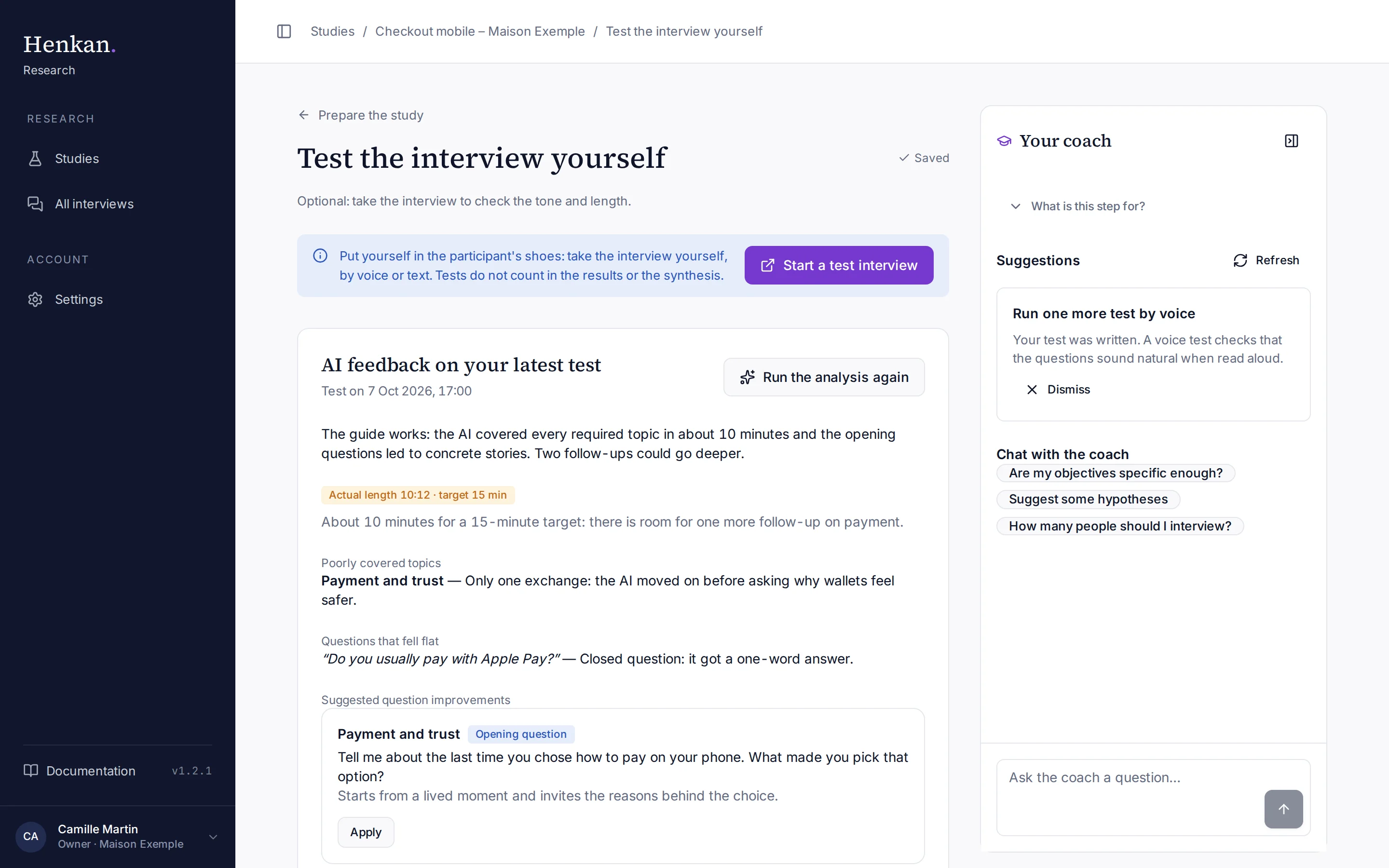
Put yourself in the participant's shoes: take the interview yourself, by voice or in writing, to check the tone, the questions and the length. Tests never count in the results, the interview figures or the synthesis.
1
Start a test interview. Opens the participant page in test mode in a new tab.
2
Run the analysis again. Recomputes the feedback on your latest test.
3
Poorly covered topics. And questions that fell flat.
4
Suggested improvements. Apply them to your guide in one click.
Run a test#
- Start Select Start a test interview. The participant page opens in a new tab with the banner "Test mode — this session won't be counted."
- Take the interview Go through the welcome, consent and interview as a participant would. Tests work even while the study is a draft.
- Come back Return to Test the interview yourself. Your test appears under Your tests.
- Get feedback Select Get AI feedback. The AI reads the transcript like an experienced researcher.
- Apply improvements Select Apply on a suggestion to update the topic's opening question or follow-up instructions. Applied suggestions show Applied.
What the feedback covers#
| Section | What it tells you |
|---|---|
| Overall | A short verdict on the guide. |
| Actual length | The real duration against your target, with what to cut or expand. Green when within two minutes of the target. |
| Poorly covered topics | Topics that were skipped or only touched on, and why. |
| Questions that fell flat | Interviewer questions that got short or flat answers, and why (closed, abstract, leading). |
| Suggested question improvements | One to four concrete edits to your guide. |